环境为 Windows 系统。
virtualbox 配置#
下载 virtualbox
修改网络配置
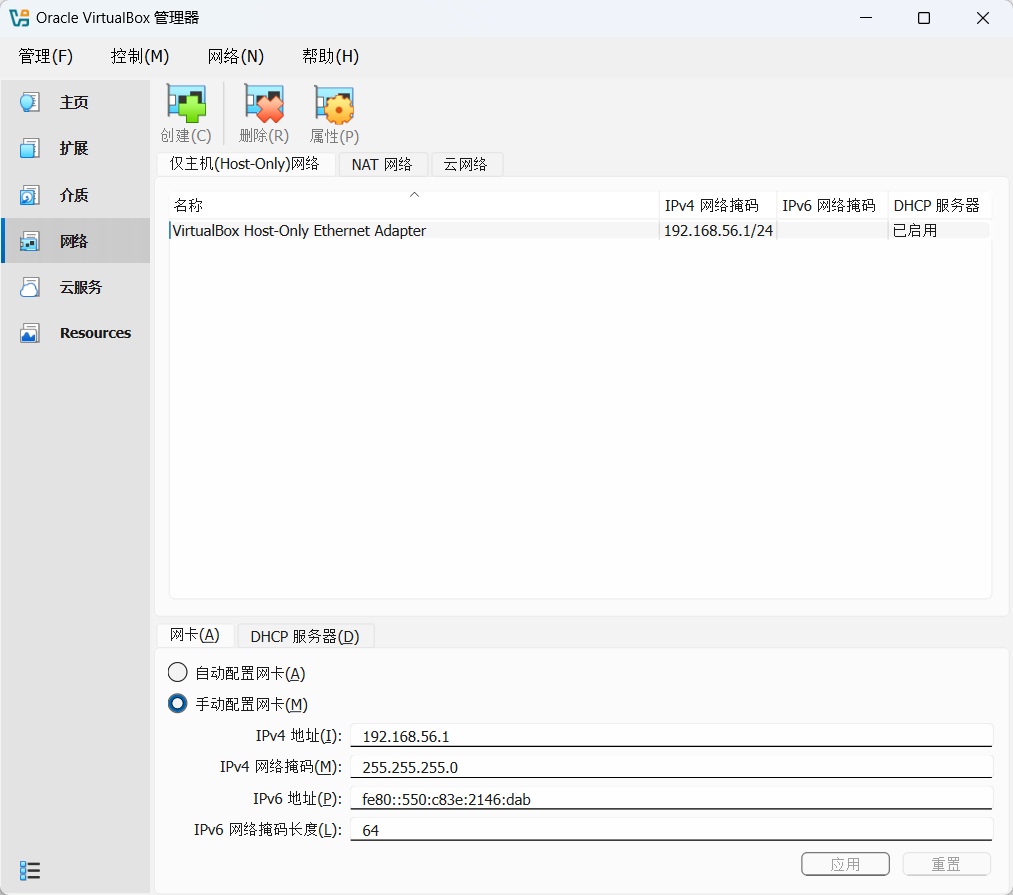
Vmware 配置#
下载 Vmware 并激活
1
2
3
4
5
6
| VMware Workstation Pro 17 许可证密钥(任选其一即可):
NZ4RR-FTK5H-H81C1-Q30QH-1V2LA
MC60H-DWHD5-H80U9-6V85M-8280D
JU090-6039P-08409-8J0QH-2YR7F
4A4RR-813DK-M81A9-4U35H-06KND
ZF3R0-FHED2-M80TY-8QYGC-NPKYF
|
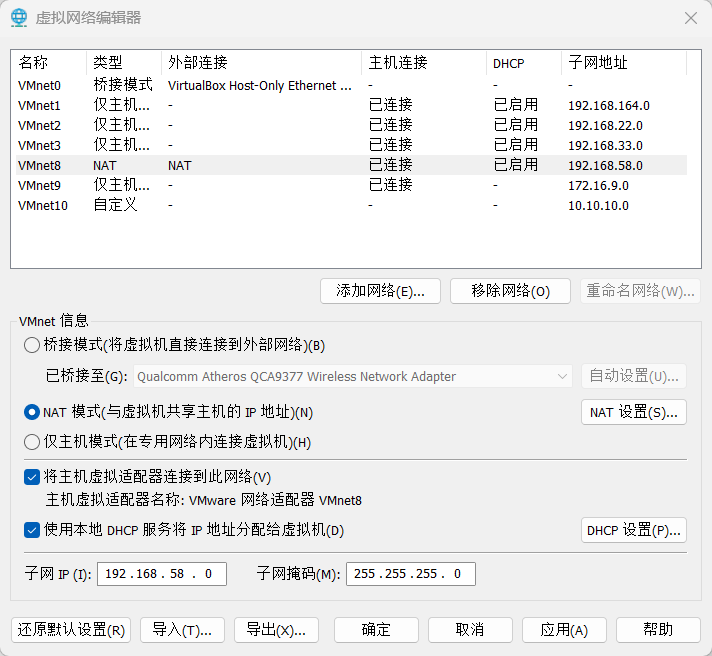
配置网卡:
编辑 –> 虚拟网络编辑器
修改 VMnet0 桥接至 VirtualBox Host-Only Ethernet Adapter
VMnet8 设置:
Kali 配置#
下载并安装 Kali (或使用 清华源 下载)
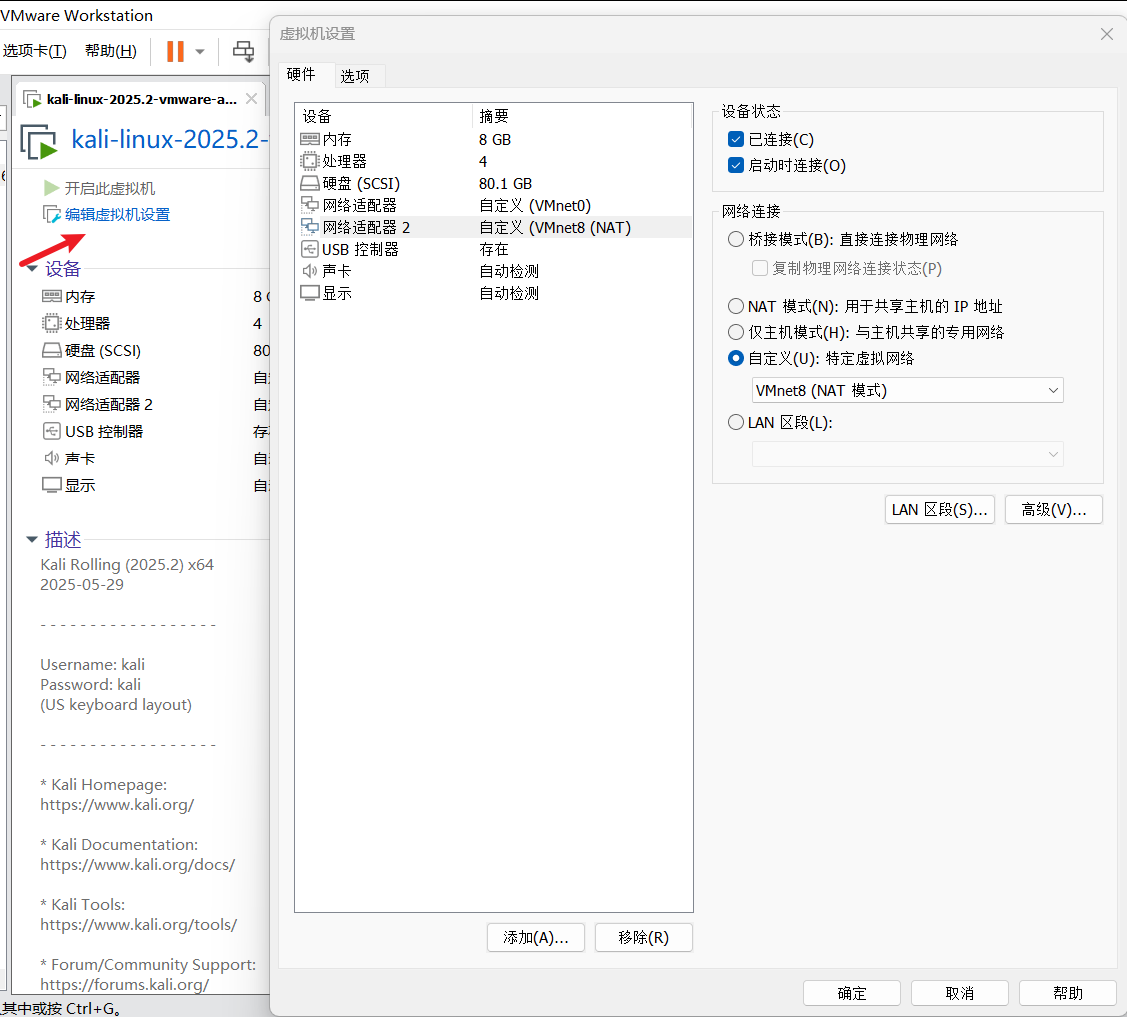
配置如下
下面以 vulnhub-NullByte 靶机为例
在 virtualbox 导入 .ova 后缀的文件
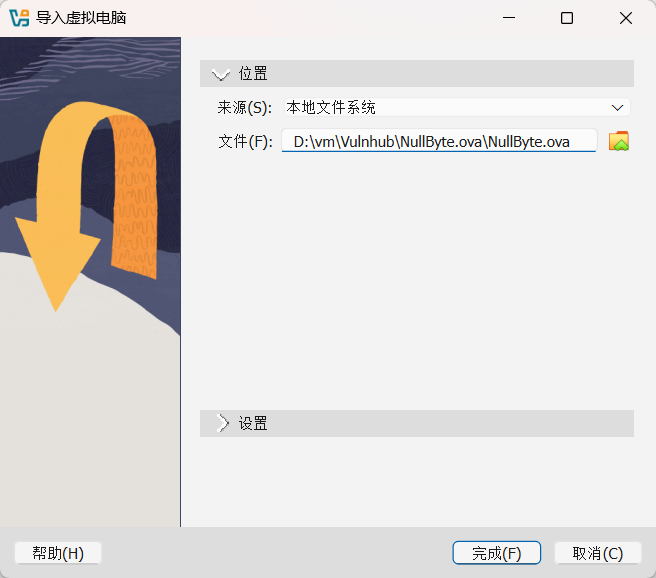
导入后设置网络:
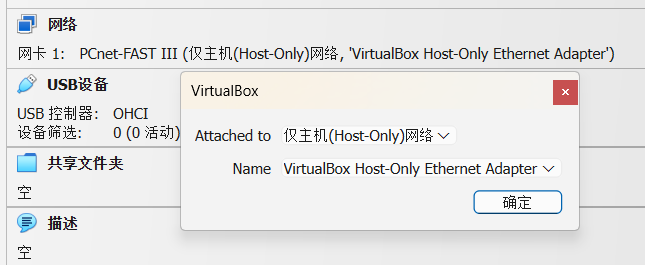
设置完成后启动靶机
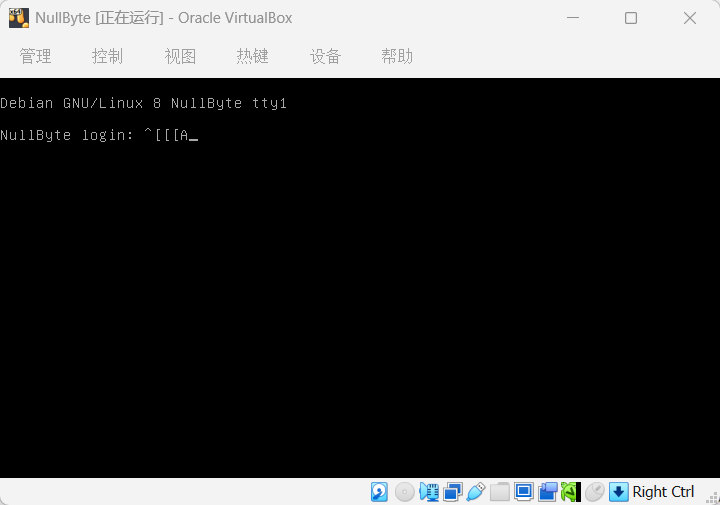
在 kali 中查看网卡参数:
 1
 2
 3
 4
 5
 6
 7
 8
 9
10
11
12
13
14
15
16
17
18
19
20
21
22
23
24
25
26
27
28
| ┌──(root㉿kali)-[~]
└─# ifconfig
eth0: flags=4163<UP,BROADCAST,RUNNING,MULTICAST> mtu 1500
inet 192.168.56.107 netmask 255.255.255.0 broadcast 192.168.56.255
inet6 fe80::9013:58b7:1178:dd00 prefixlen 64 scopeid 0x20<link>
ether 00:0c:29:ef:b6:d2 txqueuelen 1000 (Ethernet)
RX packets 225 bytes 127893 (124.8 KiB)
RX errors 0 dropped 0 overruns 0 frame 0
TX packets 774 bytes 137194 (133.9 KiB)
TX errors 0 dropped 0 overruns 0 carrier 0 collisions 0
eth1: flags=4163<UP,BROADCAST,RUNNING,MULTICAST> mtu 1500
inet 192.168.58.132 netmask 255.255.255.0 broadcast 192.168.58.255
inet6 fe80::5271:3d12:3c26:10f8 prefixlen 64 scopeid 0x20<link>
ether 00:0c:29:ef:b6:dc txqueuelen 1000 (Ethernet)
RX packets 581 bytes 198134 (193.4 KiB)
RX errors 0 dropped 0 overruns 0 frame 0
TX packets 414 bytes 59761 (58.3 KiB)
TX errors 0 dropped 0 overruns 0 carrier 0 collisions 0
lo: flags=73<UP,LOOPBACK,RUNNING> mtu 65536
inet 127.0.0.1 netmask 255.0.0.0
inet6 ::1 prefixlen 128 scopeid 0x10<host>
loop txqueuelen 1000 (Local Loopback)
RX packets 8 bytes 480 (480.0 B)
RX errors 0 dropped 0 overruns 0 frame 0
TX packets 8 bytes 480 (480.0 B)
TX errors 0 dropped 0 overruns 0 carrier 0 collisions 0
|
看到 eth0 成功连上了 56 网段
扫描:
 1
 2
 3
 4
 5
 6
 7
 8
 9
10
11
12
13
14
15
16
17
18
19
20
21
22
23
24
25
26
27
28
29
30
31
32
33
34
35
36
37
38
39
| ┌──(root㉿kali)-[~]
└─# arp-scan 192.168.56.0/24
Interface: eth0, type: EN10MB, MAC: 00:0c:29:ef:b6:d2, IPv4: 192.168.56.107
Starting arp-scan 1.10.0 with 256 hosts (https://github.com/royhills/arp-scan)
192.168.56.1 0a:00:27:00:00:0d (Unknown: locally administered)
192.168.56.100 08:00:27:d8:6c:85 PCS Systemtechnik GmbH
192.168.56.113 08:00:27:b5:82:c6 PCS Systemtechnik GmbH
3 packets received by filter, 0 packets dropped by kernel
Ending arp-scan 1.10.0: 256 hosts scanned in 2.139 seconds (119.68 hosts/sec). 3 responded
┌──(root㉿kali)-[~]
└─# nmap 192.168.56.100 -p- -sT -sV
Starting Nmap 7.95 ( https://nmap.org ) at 2026-03-07 10:22 EST
Nmap scan report for 192.168.56.100
Host is up (0.00099s latency).
All 65535 scanned ports on 192.168.56.100 are in ignored states.
Not shown: 65535 closed tcp ports (conn-refused)
MAC Address: 08:00:27:D8:6C:85 (PCS Systemtechnik/Oracle VirtualBox virtual NIC)
Service detection performed. Please report any incorrect results at https://nmap.org/submit/ .
Nmap done: 1 IP address (1 host up) scanned in 7.74 seconds
┌──(root㉿kali)-[~]
└─# nmap 192.168.56.113 -p- -sT -sV
Starting Nmap 7.95 ( https://nmap.org ) at 2026-03-07 10:22 EST
Nmap scan report for 192.168.56.113
Host is up (0.017s latency).
Not shown: 65531 closed tcp ports (conn-refused)
PORT STATE SERVICE VERSION
80/tcp open http Apache httpd 2.4.10 ((Debian))
111/tcp open rpcbind 2-4 (RPC #100000)
777/tcp open ssh OpenSSH 6.7p1 Debian 5 (protocol 2.0)
45114/tcp open status 1 (RPC #100024)
MAC Address: 08:00:27:B5:82:C6 (PCS Systemtechnik/Oracle VirtualBox virtual NIC)
Service Info: OS: Linux; CPE: cpe:/o:linux:linux_kernel
Service detection performed. Please report any incorrect results at https://nmap.org/submit/ .
Nmap done: 1 IP address (1 host up) scanned in 26.07 seconds
|
成功找到靶机地址:192.168.56.113
证明靶机环境搭建成功,可以进行下一步测试。